

Support Topics
Connect the Hub to the App
LIV+ 2 App
LIV Features with the LIV+ 2 App
- Set Schedules
- Set Timers
- LED Lighting Selection
- Push Notifications
- Refill Life Remaining
- Share Access to the System
- Automatic Firmware Updates Sent to your System
LIV Features Without Wi-Fi
- Mosquito Repellency
- Reset Refill Life
- Factory Reset
- Repeller Status
- Refill notify via Repeller lights @ 20%, 10% and 0%
- Auto Shutoff After 6 Hours of Runtime
- Note: Important firmware updates can't be sent to your system unless it's connected to the app

Ensure the device is connected to a 2.4 Ghz network. The LIV+ 2 App only works on 2.4 Ghz networks.
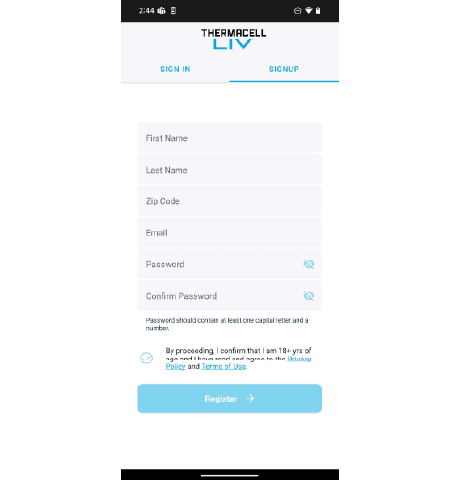
- Sign Up for an Account
- Select "Sign up" at the top of the screen.
- Enter the information as prompted and select the checkmark at the bottom of the page when done entering and select "Register".
- You will be sent to the Verification page. Wait for the email sent with the verification code, then enter the code. Select "Verify".
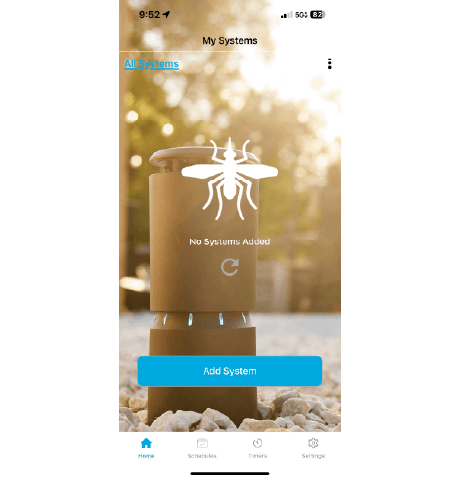
2. Select "Add System"
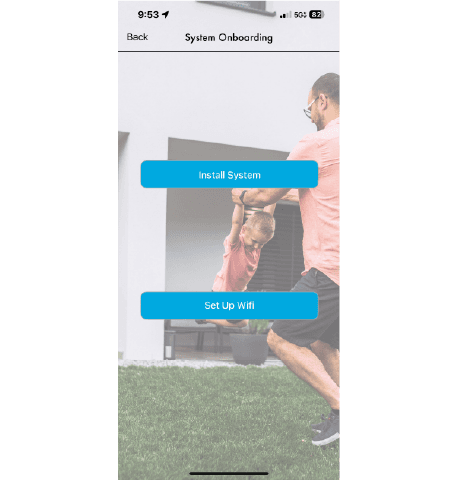
3. Select "Set Up WiFi"
4. Aim camera at the QR Code
5. Select your WiFi, Enter Password, and Select"Start"
6. Wait for the Checklist to complete
7. Enter Name of the Hub and Select "Done"
If you are still having issues, reach out to the appropriate support department:
If you purchased your system via a Pro: jcash@thermacell.net
If you purchased your system via www.thermacell.com: customerservice@thermacell.com